

ByTheWeb AI and ByTheWeb GEO are two separate WordPress plugins designed to solve different parts of the same challenge: helping your website perform in a world where people discover information through both traditional search engines and AI-powered answer engines.
You can install either plugin independently, or use both together for the complete ByTheWeb workflow.
The simplest way to think about the difference is:
- ByTheWeb GEO helps structure, optimize, and describe your existing website for search engines and AI systems.
- ByTheWeb AI provides AI Audit, AI-assisted FAQ generation, Media Optimization, and other supported AI-assisted workflows..
What Is ByTheWeb GEO?
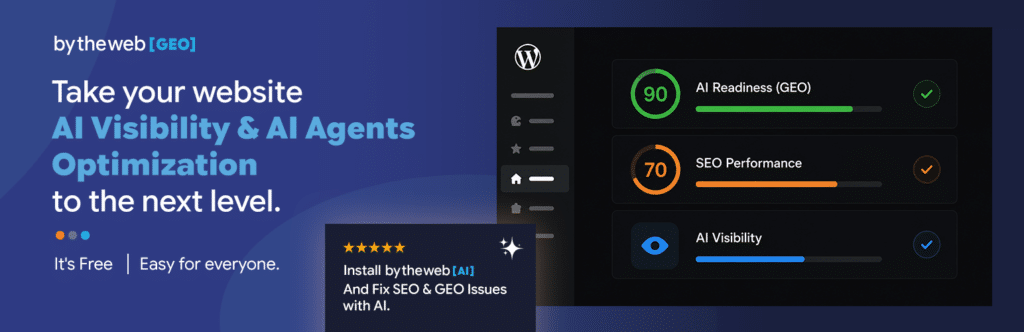
ByTheWeb GEO is the SEO, GEO, structured data, and technical optimization layer of the platform.
Its purpose is to help search engines and AI systems better understand what your website is about, who or what it represents, how its content is structured, and which information should be discoverable.
It includes tools across AI Visibility, Structured Data, and SEO Controls.
Most of ByTheWeb GEO works locally inside WordPress and does not require an API Key or AI credits.
What Can ByTheWeb GEO Do?
ByTheWeb GEO includes tools for both site-wide optimization and individual posts, pages, and supported taxonomies.
Its main capabilities include:
- SEO & GEO Dashboard with site-wide SEO and GEO scores
- AI Summary & Short Answer fields
- FAQ Schema
- llms.txt and llms-full.txt generation
- Robots.txt AI Policy Manager
- XML Sitemap
- SEO Title and Description Templates
- Canonical URL and Robots controls
- Social Image / Open Graph
- Primary Organization or Person entity information
- Business locations and LocalBusiness Schema
- Services and Customer Support Schema
- Article / BlogPosting Schema
- Page Type Schema
- BreadcrumbList Schema
- Visual breadcrumbs
- GEO shortcodes and Elementor widgets
ByTheWeb GEO can therefore be used as both a GEO toolkit and a traditional SEO toolkit.
Does ByTheWeb GEO Replace an SEO Plugin?
It can, but it does not have to.
If your website is not using Yoast SEO or Rank Math SEO, ByTheWeb GEO can manage supported traditional SEO functions itself, including SEO Titles, Meta Descriptions, Canonical URLs, Index / Noindex controls, Sitemap output, Open Graph information, and Schema.
If Yoast SEO or Rank Math SEO is active, ByTheWeb GEO recognizes the supported SEO provider and avoids competing with it for overlapping traditional SEO output.
Your existing SEO plugin can remain responsible for its core SEO and Schema output while ByTheWeb GEO continues providing its GEO-specific functionality.
For more information, see:
What Is ByTheWeb AI?
ByTheWeb AI is the AI generation and automation layer of the platform.
Its primary purpose is to help you create or improve website content using AI directly from the WordPress dashboard.
Its main tools are focused on AI Content Creation, content automation, FAQ generation, images, and media metadata.
Some ByTheWeb AI functionality is available without an API connection. AI-powered generation and automation actions require a connected ByTheWeb API Key and use AI credits.
What Can ByTheWeb AI Do?
ByTheWeb AI includes tools such as:
- AI Audit / Website Scanner
- AI FAQ generation
- Manual FAQ management and FAQ Schema
- Image Metadata Optimization
- AI-generated Alt Text, Title, Caption, and Description
- AI-assisted article SEO metadata
- AI-powered generation of supported GEO fields when ByTheWeb GEO is active
ByTheWeb AI also provides the connection to ByTheWeb Cloud for supported AI-powered actions.
What Is the AI Audit?
The AI Audit is part of ByTheWeb AI and opens the ByTheWeb Website Scanner for the current WordPress website.
It lets you review how supported AI engines currently understand and describe your website.
The report can identify information such as:
- Detected facts
- Unclear information
- Questions the website may not currently answer
- Public sources and citations returned by supported engines
- How the website is currently understood by different AI systems
ChatGPT and Gemini results are available without connecting an API Key.
Connecting a ByTheWeb account enables all supported AI Audit engines, including Perplexity and Claude.
Does ByTheWeb AI Work Without ByTheWeb GEO?
Yes.
ByTheWeb AI is a standalone plugin.
You can use it without installing ByTheWeb GEO for features such as:
- AI Audit
- FAQ management and AI FAQ generation
- Media Optimization
- AI-generated image metadata
ByTheWeb GEO is not required for these core AI workflows.
What Changes When ByTheWeb GEO Is Also Installed?
When ByTheWeb GEO is active, the two plugins can work together as one broader optimization workflow.
ByTheWeb GEO provides fields and analysis such as Short Answer, AI Summary, FAQ Schema, and supported SEO and GEO metadata. When ByTheWeb AI is installed and connected, supported Fix with AI actions can help generate or improve these fields from existing website content.
The plugins remain separate, however. ByTheWeb AI does not require ByTheWeb GEO for its own core features, and ByTheWeb GEO does not require ByTheWeb AI for its core local functionality.
Can ByTheWeb GEO Use AI?
Yes, when ByTheWeb AI is installed and connected.
ByTheWeb GEO itself provides the fields, analysis, scores, and optimization framework.
When you want AI to generate missing content for supported fields, the optional ByTheWeb AI integration can provide Fix with AI actions.
Depending on the available field and context, AI can help generate items such as:
- Short Answer
- AI Summary
- FAQ Schema
- SEO Title
- Meta Description
The relevant content is only sent to the ByTheWeb Cloud service when an authorized user actively requests an AI generation action.
Without ByTheWeb AI, these GEO and SEO fields can still be managed manually where supported.
For more information, see:
How Do FAQ Features Work Between the Two Plugins?
FAQ is one of the areas where ByTheWeb AI and ByTheWeb GEO complement each other.
FAQ content can be created and managed as structured FAQ data, while ByTheWeb AI adds AI-powered FAQ generation.
You can:
- Add and edit FAQ questions manually
- Generate FAQ suggestions from existing content with AI
- Output supported FAQ / Q&A structured data
- Display FAQ content visibly using the available shortcode
- Display FAQ content using the ByTheWeb AI Elementor FAQ Widget
You do not need to maintain a separate set of FAQs for each plugin.
Starting with ByTheWeb GEO 1.3.2, when ByTheWeb GEO is not active, ByTheWeb AI can output the stored FAQ data as standalone FAQPage JSON-LD. When ByTheWeb GEO is active, GEO handles the shared FAQ structured-data output, incorporates the Questions into the applicable page Schema, and prevents duplicate ByTheWeb FAQ Schema output.
For the complete workflow, see:
Which Plugin Uses AI Credits?
ByTheWeb GEO’s core local functionality does not require AI credits.
For example, you can manually configure GEO fields, SEO settings, Schema, LLM files, Sitemap settings, robots.txt policies, entity information, and other supported settings without consuming AI credits.
ByTheWeb AI uses credits when a supported action sends a request to the ByTheWeb Cloud AI service.
Examples include:
- AI FAQ generation
- AI image metadata generation
- Supported Fix with AI actions
Manual tools remain available where the individual feature supports manual editing.
For a detailed explanation, see:
Which Plugin Gives Me SEO and GEO Scores?
The site-wide SEO and GEO analysis is provided by ByTheWeb GEO.
The SEO & GEO Dashboard analyzes supported content and helps identify optimization gaps across the website.
ByTheWeb AI is not the site’s SEO/GEO scoring plugin.
Its role is primarily to provide the AI tools that can create or improve supported content.
This distinction is useful when both plugins are installed:
ByTheWeb GEO helps identify what needs attention.
ByTheWeb AI can help generate some of the content needed to address it.
Which Plugin Manages Schema?
ByTheWeb GEO provides the broader Entity and Schema system.
This includes supported structured data for areas such as:
- Organization or Person
- LocalBusiness locations
- Services
- Customer Support Contact
- Article / BlogPosting
- Page Type
- BreadcrumbList
- FAQ
- Entity relationships and official profile links
When Yoast SEO or Rank Math is active, ByTheWeb GEO can enrich supported Schema information while preserving the supported SEO plugin’s existing core Schema graph.
ByTheWeb AI is not intended to replace this site-wide Schema system.
Its main Schema-related role is FAQ management and AI-assisted FAQ generation.
Which Plugin Manages Images?
The main image metadata tools are provided by ByTheWeb AI.
Image Metadata Optimization lets you review and manage:
- Alt Text
- Title
- Caption
- Description
You can edit supported metadata manually or use AI credits to generate it automatically.
ByTheWeb GEO can separately manage the Social / Open Graph image used by supported SEO output when it is responsible for those fields.
These are different functions: WordPress Media Library metadata is managed through ByTheWeb AI, while the Open Graph image is an SEO setting handled by ByTheWeb GEO when applicable.
Which Plugin Manages llms.txt, Sitemap and robots.txt?
These technical discovery features are provided by ByTheWeb GEO.
ByTheWeb GEO manages the supported:
llms.txtllms-full.txt- XML Sitemap
- robots.txt AI policies
These features work locally and do not require ByTheWeb AI.
They also use supported indexing and provider information to help avoid conflicting output with Yoast SEO or Rank Math where applicable.
Which Plugin Should I Install?
Choose ByTheWeb GEO if your main goals are:
- Improve AI readiness and GEO signals
- Analyze SEO and GEO issues
- Add AI Summary and Short Answer content
- Add or enrich structured data
- Define your Organization, Person, locations, and services
- Generate llms.txt and llms-full.txt
- Manage AI crawler policies
- Manage Sitemap and indexing
- Use traditional SEO functionality without another supported SEO plugin
Choose ByTheWeb AI if your main goals are:
- Check how AI engines understand your website
- Generate FAQs with AI
- Generate image metadata
- Improve and manage Media Library metadata
- Use AI to accelerate content work inside WordPress
Choose both if you want the full workflow.
Why Use Both Plugins Together?
The strongest workflow combines analysis, optimization, and generation.
A typical process can look like this:
- Use the AI Audit to understand how AI engines currently interpret your website.
- Use the ByTheWeb GEO Dashboard to identify SEO and GEO gaps across your content.
- Configure the site’s entities, structured data, indexing, LLM files, and technical GEO settings.
- Improve individual pages with Short Answers, AI Summaries, FAQs, and other relevant information.
- Use ByTheWeb AI when you want AI assistance for supported FAQs, image metadata, and Fix with AI actions.
- Review the site again over time and continue improving the areas that need attention.
ByTheWeb GEO provides the optimization framework.
ByTheWeb AI adds AI Audit and AI-assisted optimization tools.
Together, they provide a complete workflow without forcing you to replace the SEO tools you already use.
Do I Need Both Plugins to Get Started?
No.
You can start with either plugin and add the other later.
If you want to start with the website’s structure, SEO, GEO, Schema, and AI readiness, begin with ByTheWeb GEO.
If you primarily want AI Audit, FAQ generation, and image metadata tools, begin with ByTheWeb AI.
If you want the complete setup from the beginning, install both.
For the recommended setup order, continue with: