
ByTheWeb AI Features
Powerful SEO & GEO Tools, Simple for Everyone.



ByTheWeb Toolkit
AI-Assisted Optimization
Create complete, structured, SEO-optimized articles in 4 simple steps using our AI Article Wizard. Too busy? Turn on Auto-Pilot. Enter your topics, set your schedule, and let the system automatically write and publish high-quality drafts while you sleep.

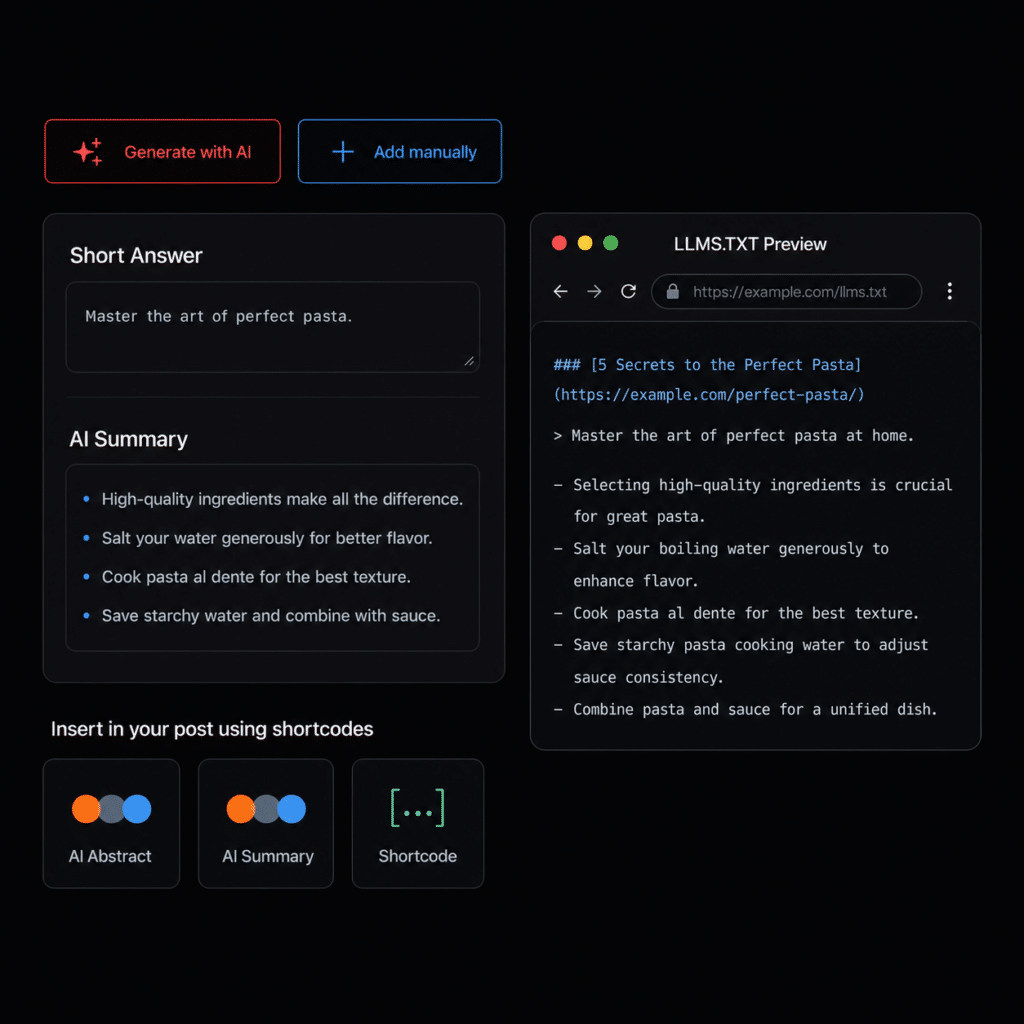
- Provide AI search engines (like ChatGPT, Claude, and Gemini) with exactly what they are looking for. The “Short Answer” gives a direct one-sentence response, while the “AI Summary” provides a scannable list of key facts, ensuring your content is prime for AI extraction and direct answers.
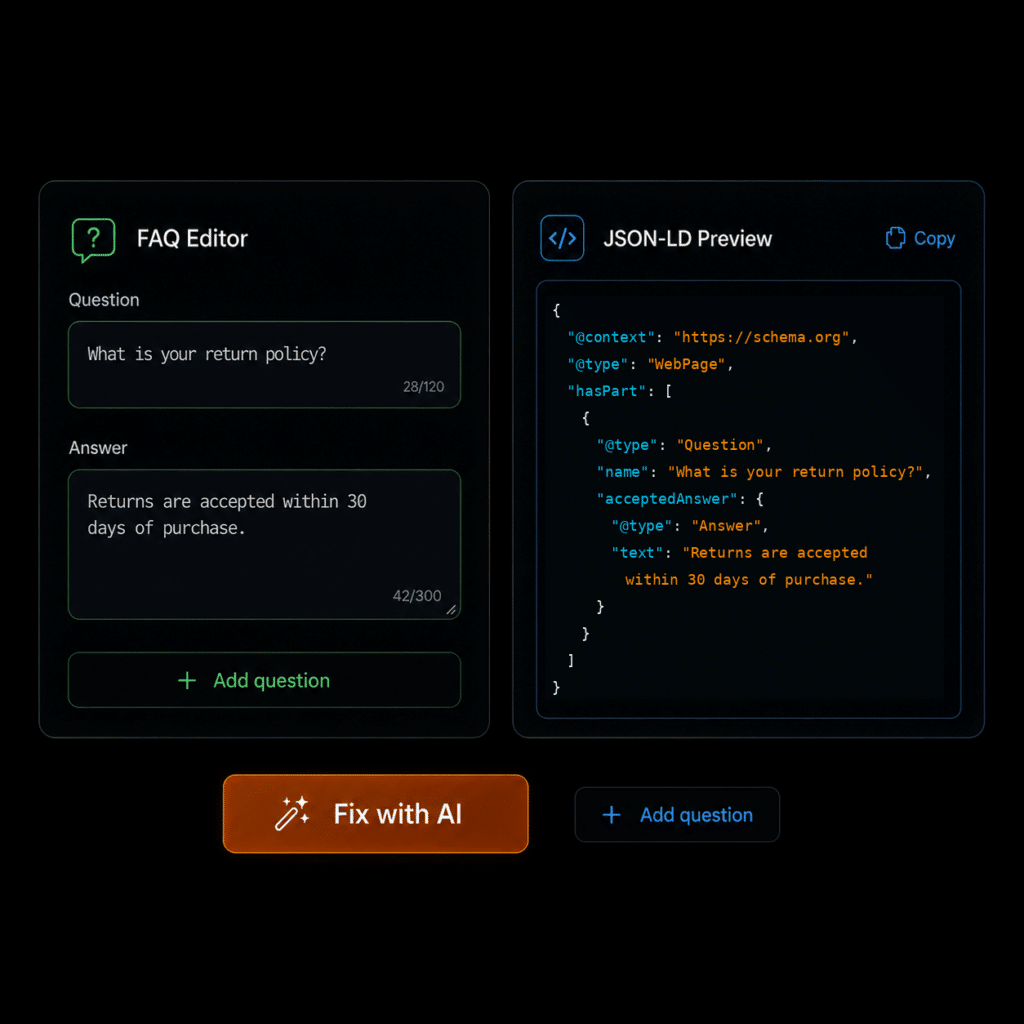
- This feature turns your WordPress content into clear, AI-readable Question and Answer structured data. By default, FAQs enrich the existing page Schema without changing the page itself into an FAQPage. The Q&A can be added behind the scenes as JSON-LD or displayed visibly on the page.
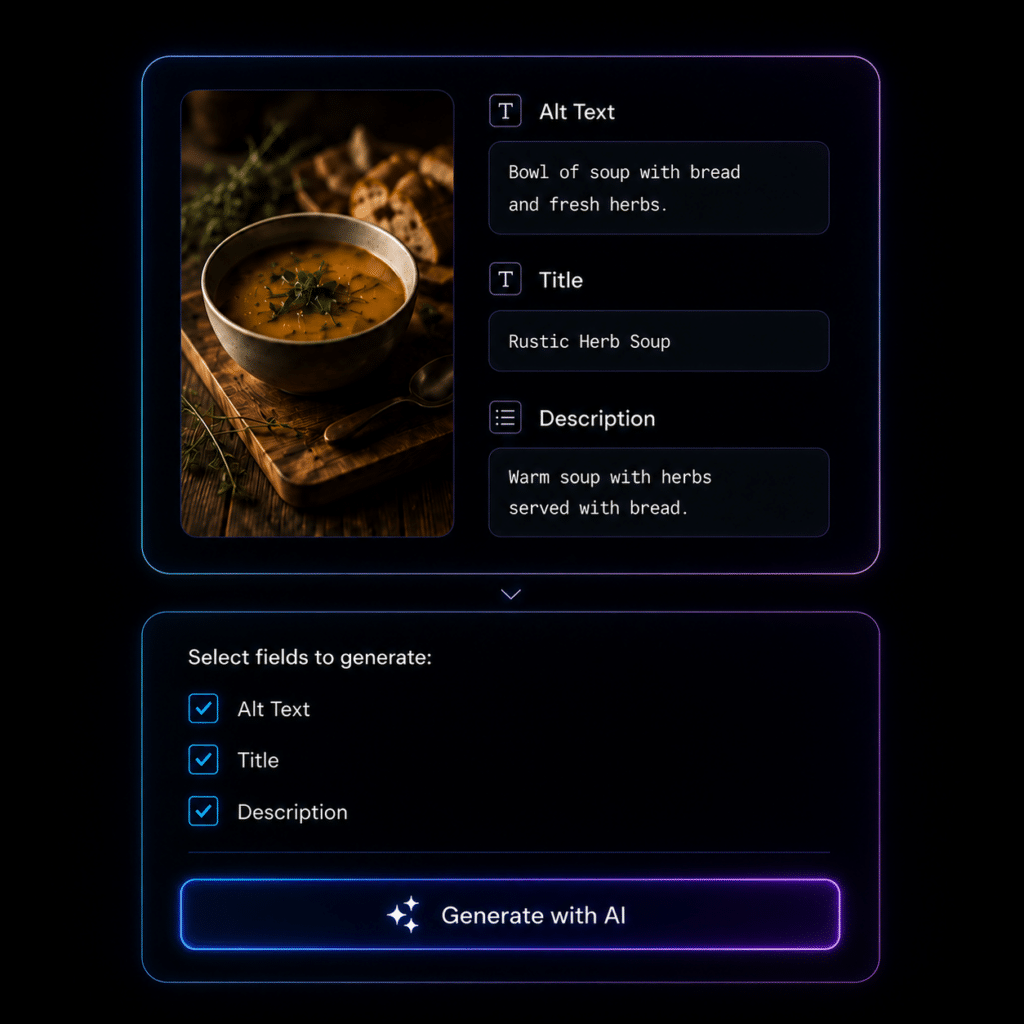
- Improve every image’s SEO, accessibility, and AI readability with a complete image metadata audit. Quickly detect missing alt text, titles, captions, and descriptions across your site, then update them manually or let AI generate optimized metadata for selected fields in just a few clicks.
AI Visibility & GEO Readiness
Create complete, structured, SEO-optimized articles in 4 simple steps using our AI Article Wizard. Too busy? Turn on Auto-Pilot. Enter your topics, set your schedule, and let the system automatically write and publish high-quality drafts while you sleep.
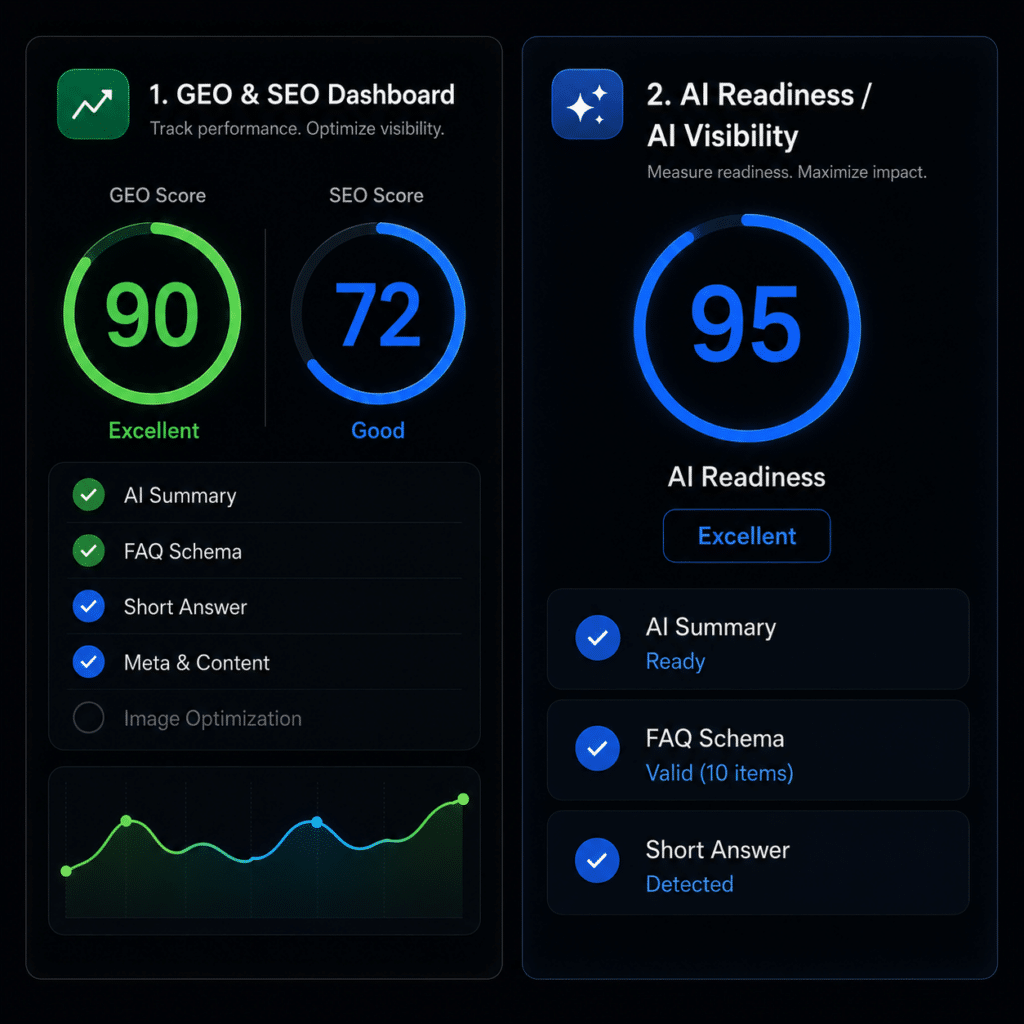
- Know exactly how ready your content is for Google, ChatGPT, Gemini, and other AI platforms. The Scored SEO & GEO Audit Dashboard gives every page a clear optimization score, highlights missing or incomplete elements, and helps you quickly fix the issues that impact search visibility, AI readability, and content performance.
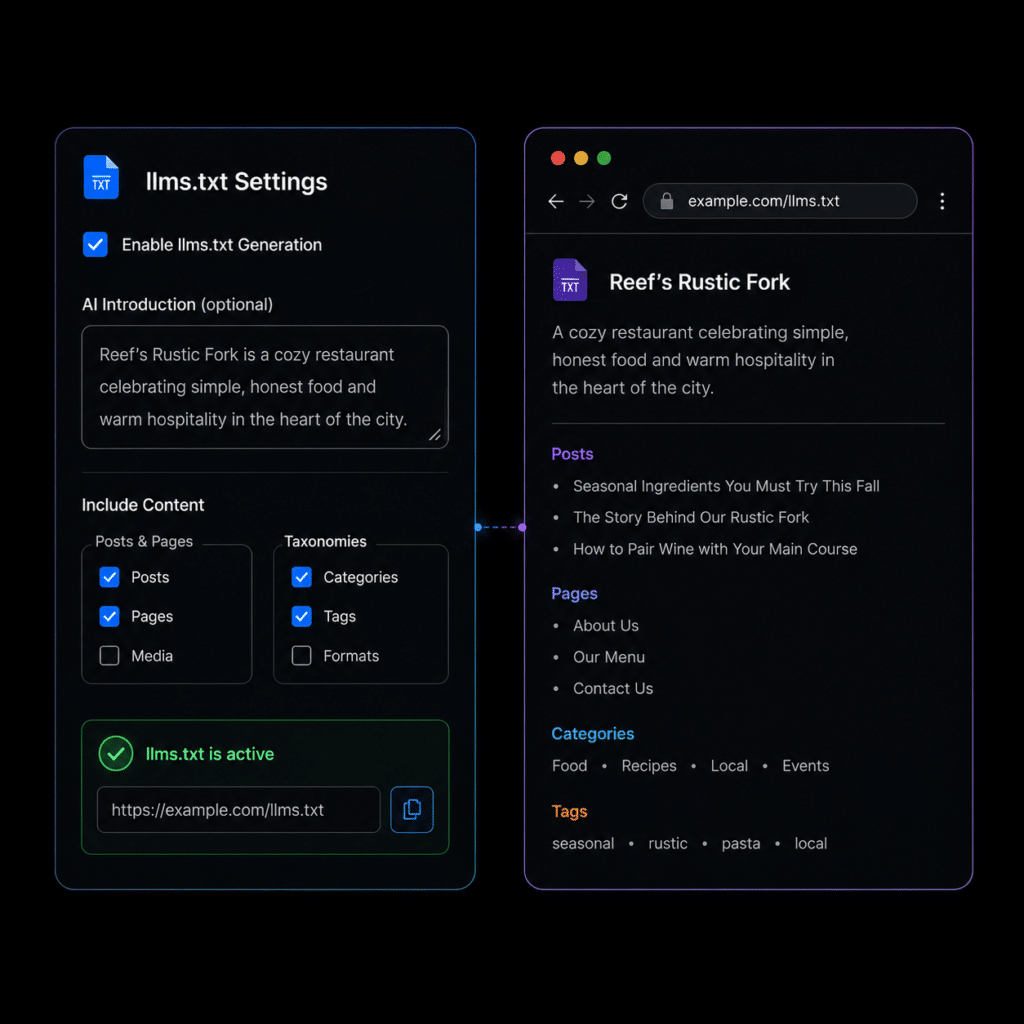
- Help AI engines understand your website faster with clean, structured Markdown files built for Large Language Models. ByTheWeb GEO automatically generates an AI-readable llms.txt index, and can also create an optional llms-full.txt file with a fuller version of your public, indexable content – including Short Answers, AI Summaries, cleaned page content, taxonomy descriptions, and important links.
- Provide AI search engines (like ChatGPT, Claude, and Gemini) with exactly what they are looking for. The “Short Answer” gives a direct one-sentence response, while the “AI Summary” provides a scannable list of key facts, ensuring your content is prime for AI extraction and direct answers.
- This feature turns your WordPress content into clear, AI-readable Question and Answer structured data. By default, FAQs enrich the existing page Schema without changing the page itself into an FAQPage. The Q&A can be added behind the scenes as JSON-LD or displayed visibly on the page.
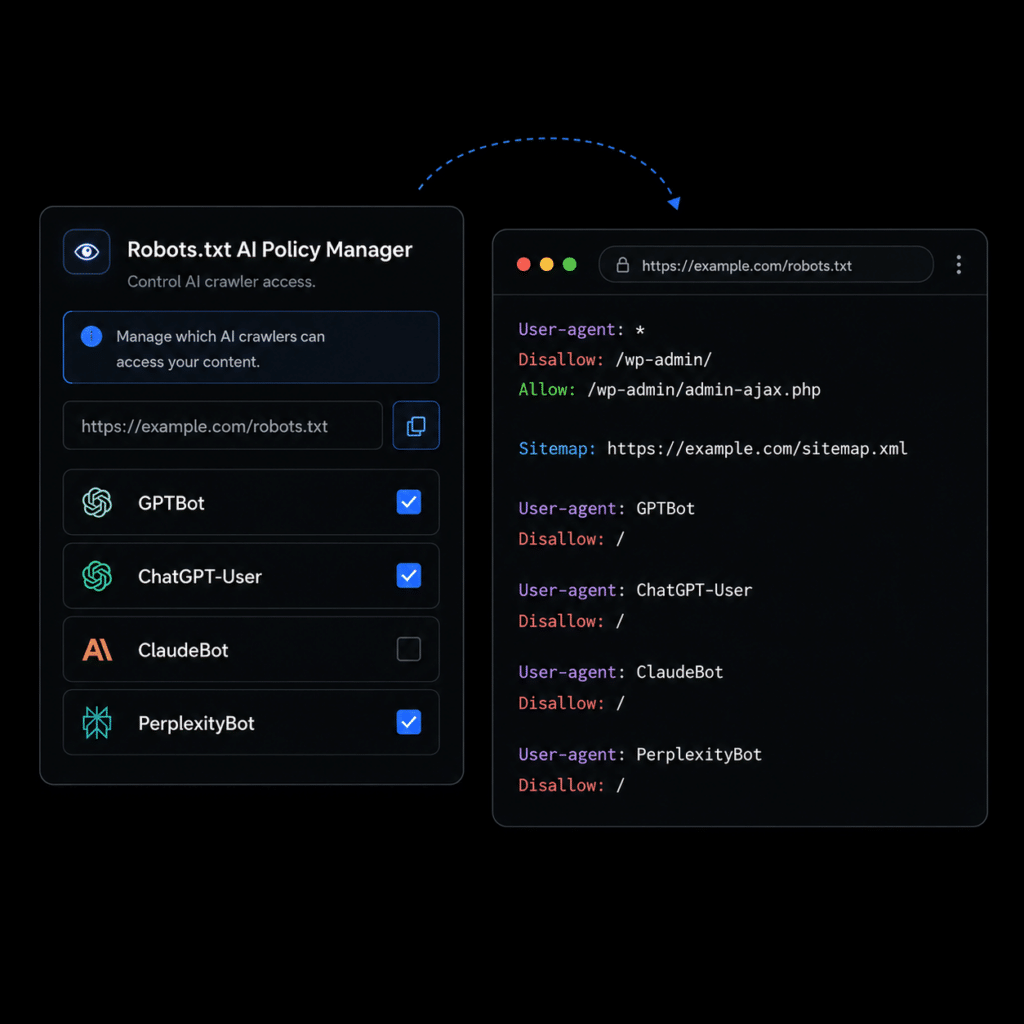
- Control how AI crawlers and search bots access your public website when ByTheWeb GEO is managing your site’s SEO and robots.txt output. By default, the site remains open to crawlers, while you can selectively block specific AI and search user-agents and automatically include the ByTheWeb GEO sitemap in the virtual robots.txt file.
- Display your AI-optimized content directly inside Elementor. ByTheWeb GEO includes dedicated widgets for AI Summary, AI Short Answer, and Breadcrumbs, so your most important GEO content can be visible, styled, and reusable across your WordPress pages.
Structured Data & Trust Signals
Create complete, structured, SEO-optimized articles in 4 simple steps using our AI Article Wizard. Too busy? Turn on Auto-Pilot. Enter your topics, set your schedule, and let the system automatically write and publish high-quality drafts while you sleep.
- This feature turns your WordPress content into clear, AI-readable Question and Answer structured data. By default, FAQs enrich the existing page Schema without changing the page itself into an FAQPage. The Q&A can be added behind the scenes as JSON-LD or displayed visibly on the page.
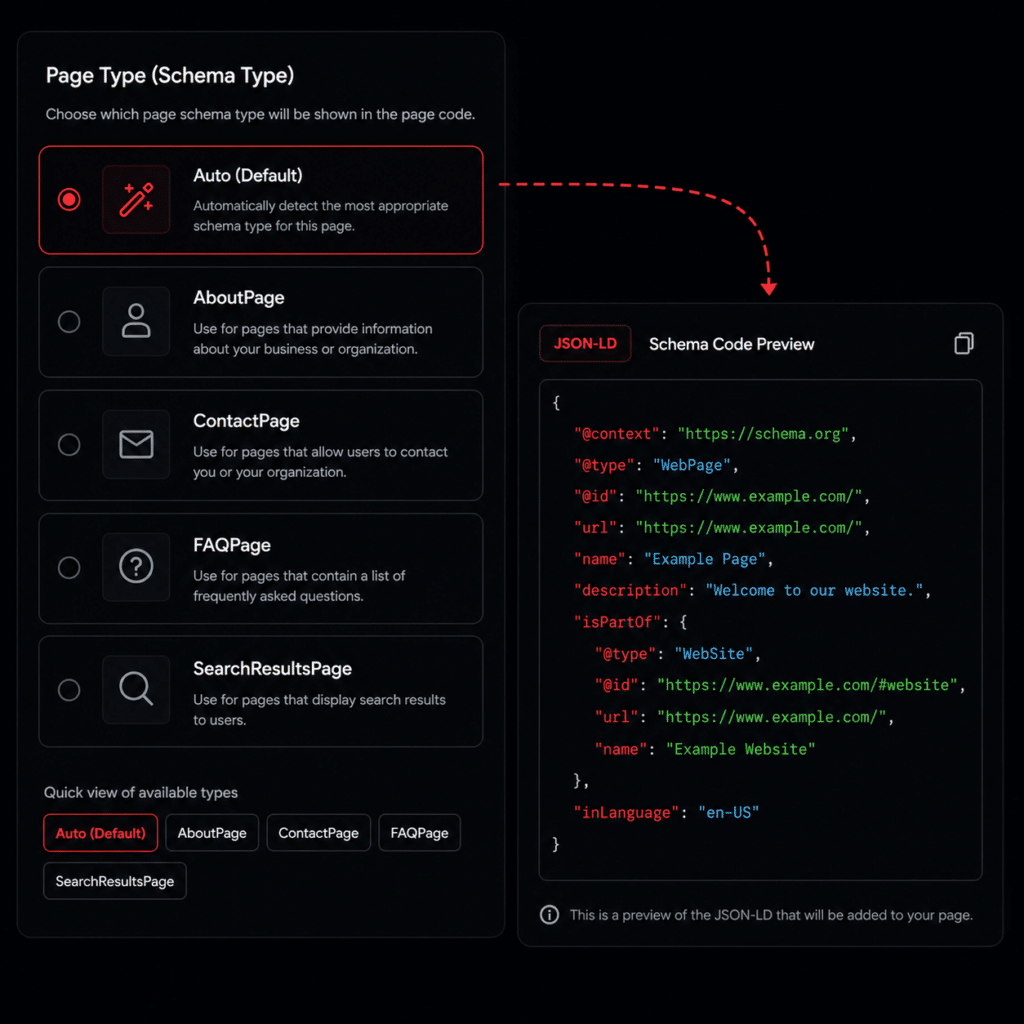
- Help search engines and AI systems understand the purpose of your content with more specific WebPage Schema types. When ByTheWeb GEO is managing your site’s core SEO and Schema layer, supported content uses `WebPage` by default, and you can manually assign a more specific type such as `AboutPage`, `ContactPage`, `FAQPage`, or `SearchResultsPage` when appropriate.
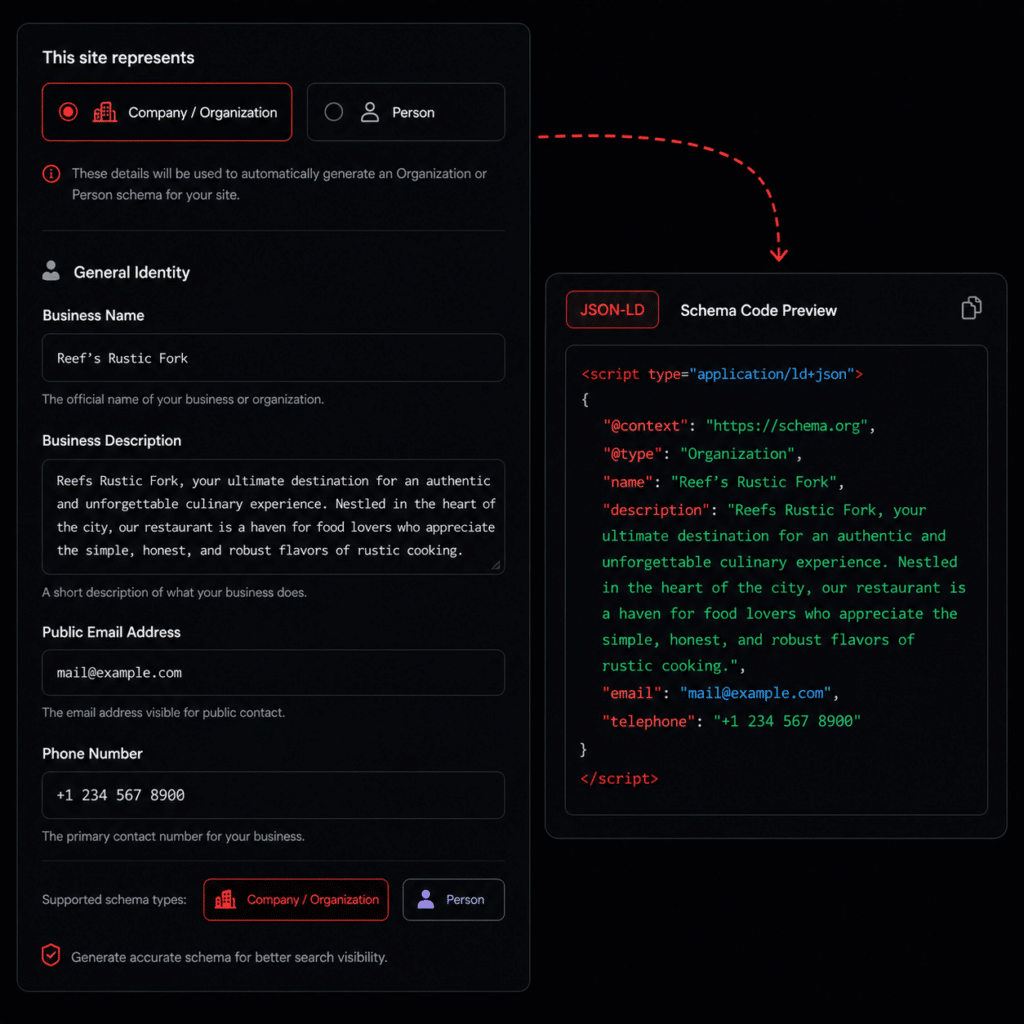
- ByTheWeb GEO lets you define the primary entity represented by your website as an Organization or Person and add structured details such as name, description, logo, contact information, and official sameAs profile links. When ByTheWeb GEO manages the site’s Schema, it can generate the primary entity as part of its structured data graph. When Yoast SEO or Rank Math SEO is active, ByTheWeb GEO preserves the provider’s core primary entity and enriches that existing Schema with supported GEO data instead of creating a competing entity.
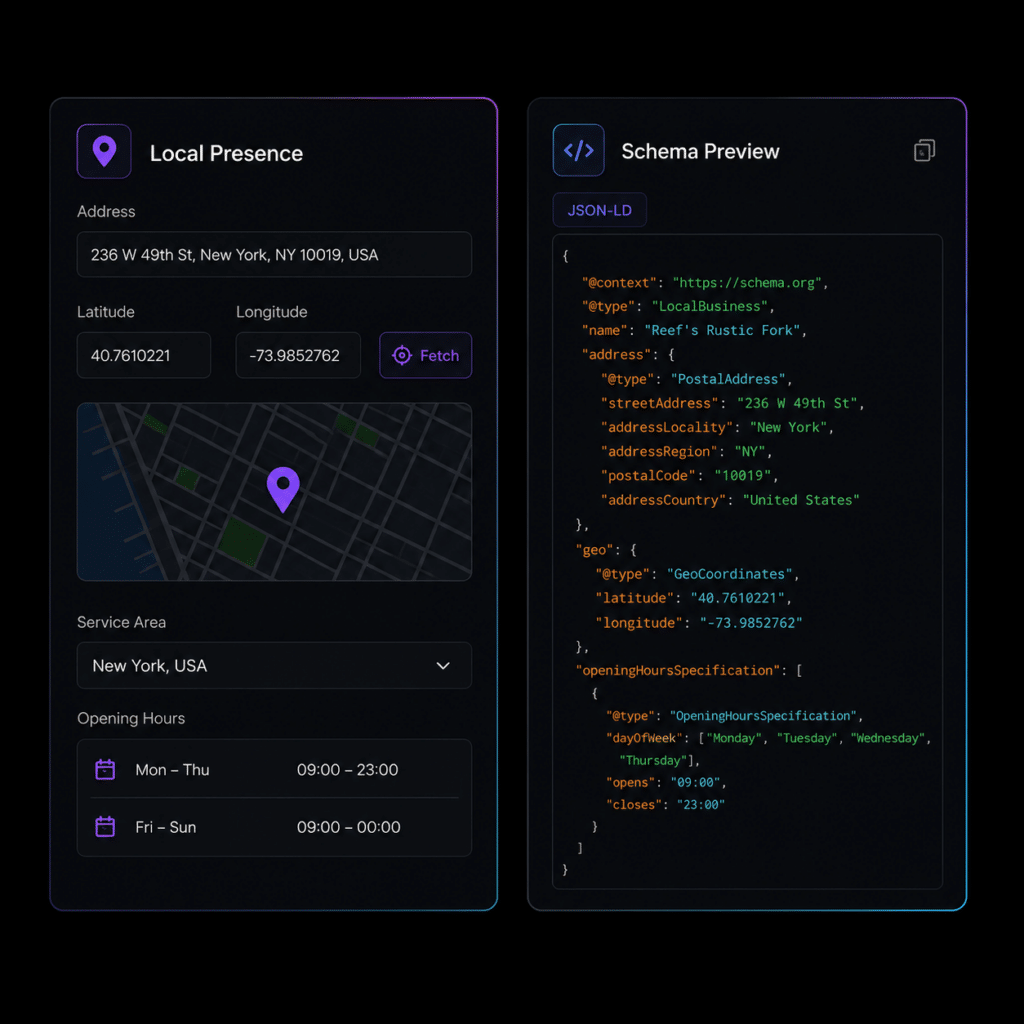
- Make your local business easier for search engines and AI systems to understand. ByTheWeb GEO lets you configure one or more Business Locations with structured LocalBusiness data, including address, service area, opening hours, map coordinates, contact details, and the most accurate supported Schema.org business type. You can also define multiple Service entities, giving machines clearer structured context about both where your business operates and the services it provides.
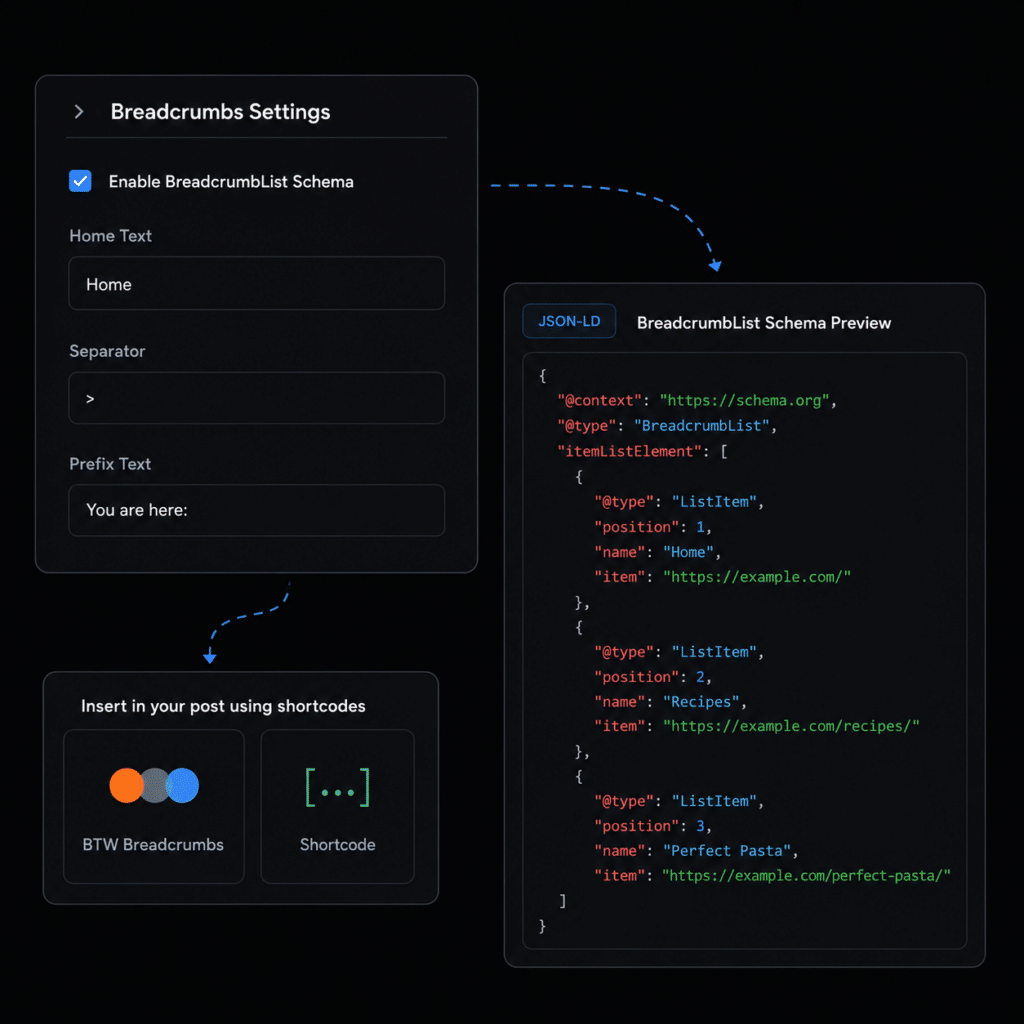
- Make your website hierarchy easier for users, search engines, and AI systems to understand. When ByTheWeb GEO is managing your site’s SEO and Schema layer, it can generate `BreadcrumbList` structured data based on the current WordPress page hierarchy. You can also display a visible breadcrumb trail using the ByTheWeb shortcode or Elementor widget.
SEO Controls
Create complete, structured, SEO-optimized articles in 4 simple steps using our AI Article Wizard. Too busy? Turn on Auto-Pilot. Enter your topics, set your schedule, and let the system automatically write and publish high-quality drafts while you sleep.
- Make your website hierarchy easier for users, search engines, and AI systems to understand. When ByTheWeb GEO is managing your site’s SEO and Schema layer, it can generate `BreadcrumbList` structured data based on the current WordPress page hierarchy. You can also display a visible breadcrumb trail using the ByTheWeb shortcode or Elementor widget.
- Improve every image’s SEO, accessibility, and AI readability with a complete image metadata audit. Quickly detect missing alt text, titles, captions, and descriptions across your site, then update them manually or let AI generate optimized metadata for selected fields in just a few clicks.
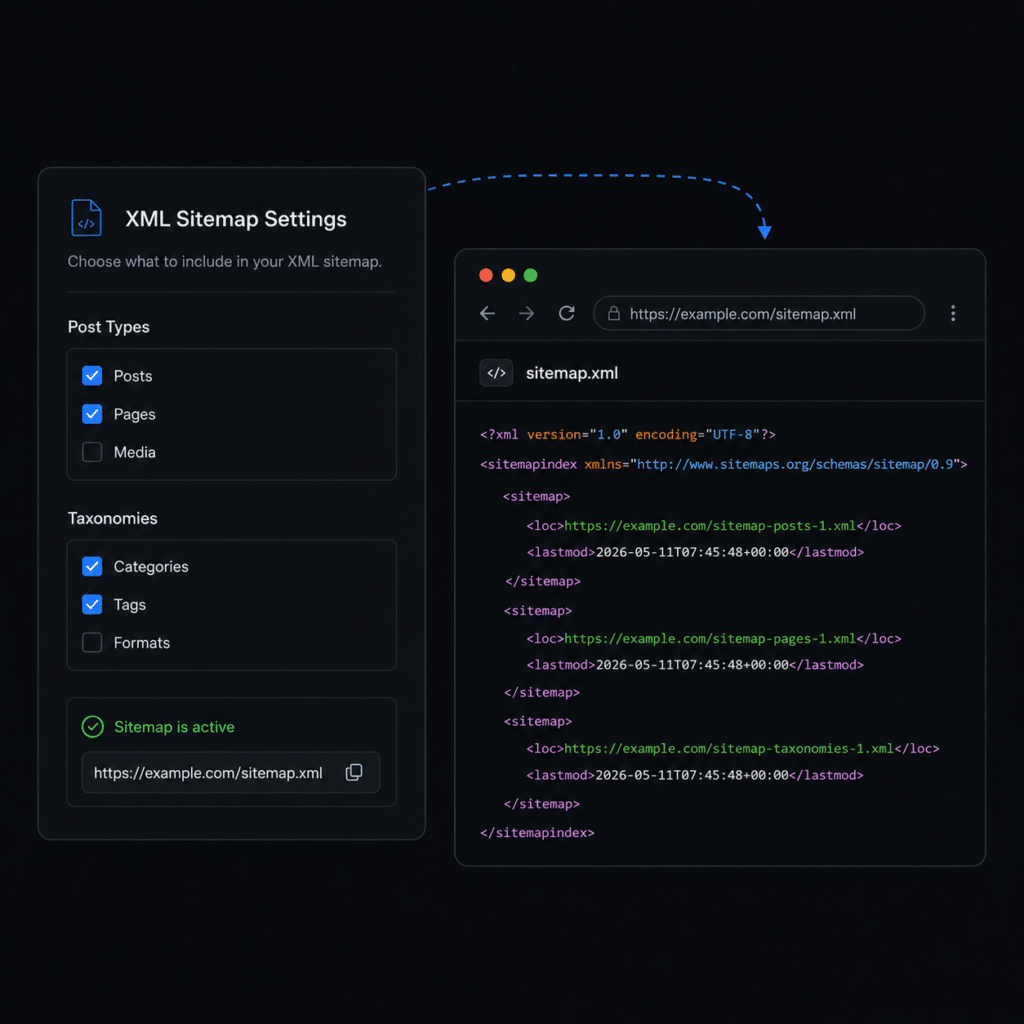
- When ByTheWeb GEO is managing your site’s SEO layer, it provides a clean, automatically updating XML sitemap. Select the public post types and taxonomies you want to include, while ByTheWeb GEO automatically excludes content that is not eligible for indexing.
- Control how AI crawlers and search bots access your public website when ByTheWeb GEO is managing your site’s SEO and robots.txt output. By default, the site remains open to crawlers, while you can selectively block specific AI and search user-agents and automatically include the ByTheWeb GEO sitemap in the virtual robots.txt file.
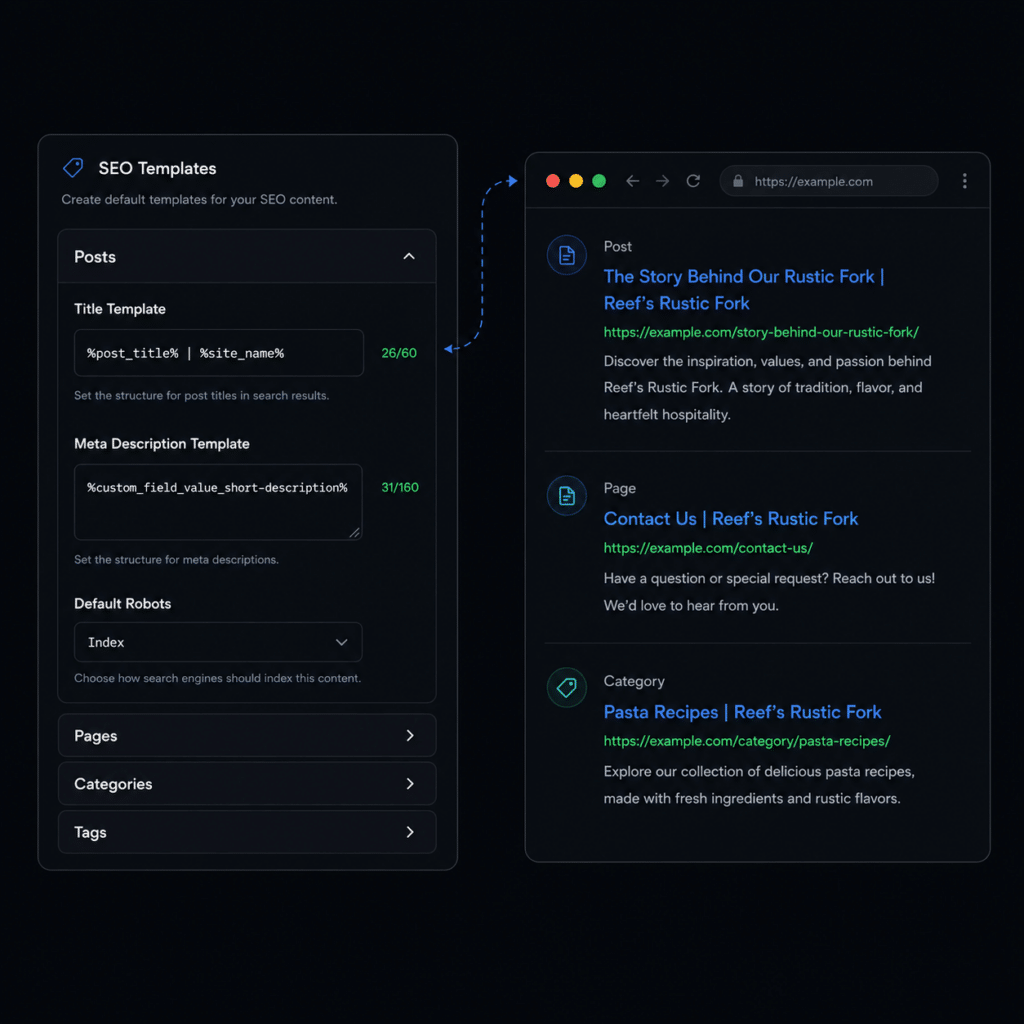
- When ByTheWeb GEO is managing your site’s SEO layer, you can create reusable SEO title and meta description templates for supported public post types and taxonomies. Use dynamic variables to automatically build consistent metadata, while still allowing individual posts, pages, and terms to override the template when needed.
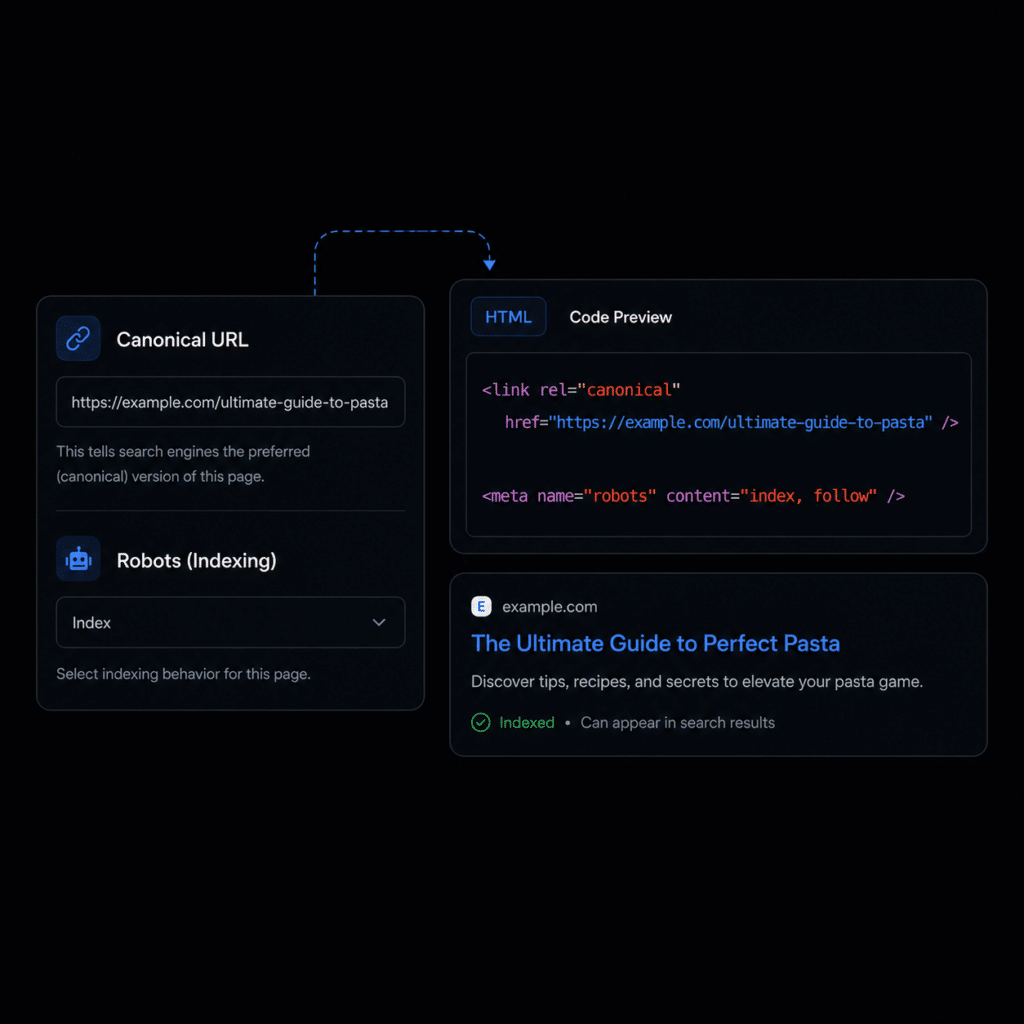
- When ByTheWeb GEO is managing your site’s SEO layer, Canonical & Robots Controls let you define the preferred URL for supported content and manage its Index or Noindex behavior. Individual settings can override the applicable content-type defaults, giving you clear control over your technical SEO output.
- When ByTheWeb GEO is managing your site’s SEO layer, Social Image (OG) lets you define the image used in Open Graph and Twitter Card metadata for supported content. Set a site-wide default image or override it for individual posts, pages, and supported taxonomy terms.