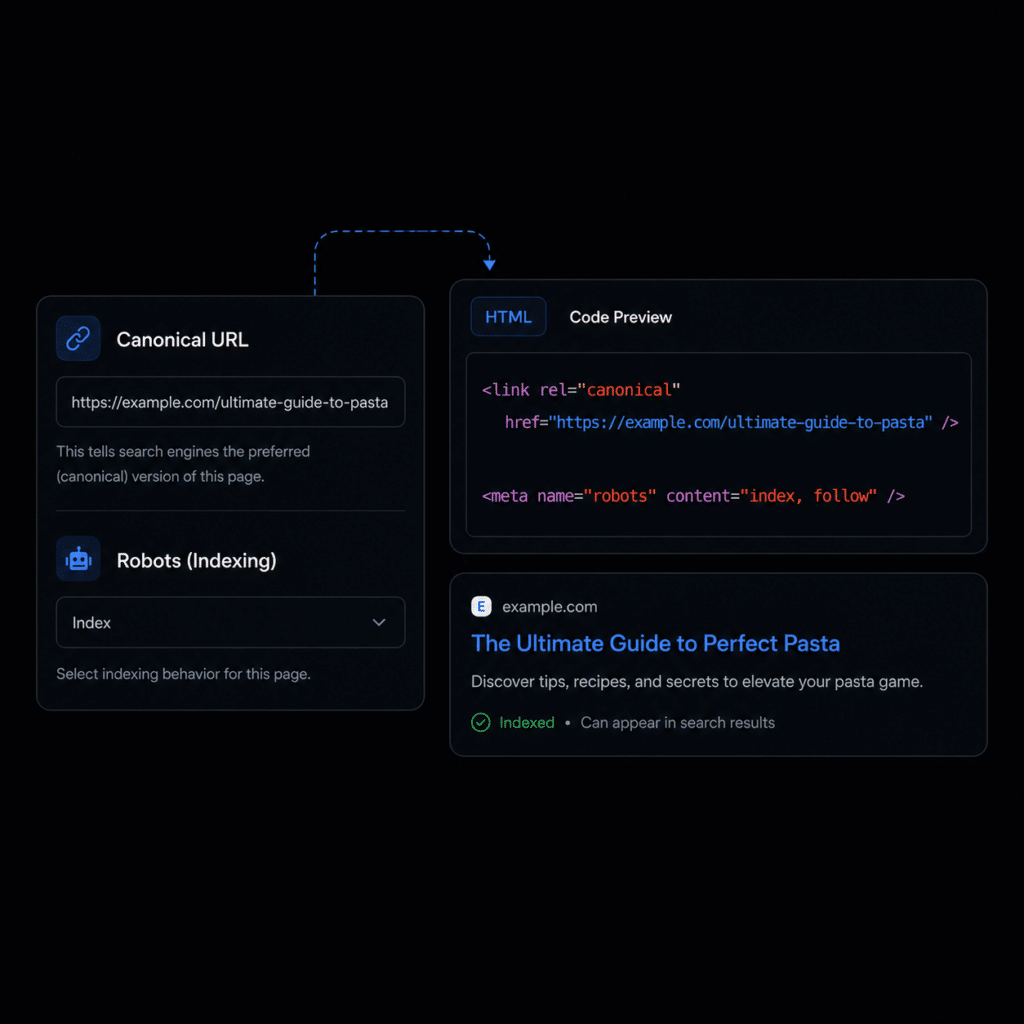

When ByTheWeb GEO is the active SEO provider, supported Posts, Pages, and Taxonomy terms can use their own Canonical URL and Index/Noindex setting. If no custom Canonical URL is entered, ByTheWeb GEO uses the content’s normal permalink or term URL. If the Robots setting is left at Default, the item follows the applicable Post Type or Taxonomy indexing setting.
If Yoast SEO or Rank Math SEO is active, ByTheWeb GEO leaves the overlapping Canonical and Robots output to that SEO provider instead of generating competing tags.
Duplicate Content Prevention: Canonical URLs protect your rankings by telling search engines exactly which version of a page is the “master” copy when similar content exists across multiple URLs.
Crawl Budget Optimization: Using the noindex directive for low-value or utility pages forces search engines and AI crawlers to focus their time and resources on your money pages.
Indexing Control: Use Index or Noindex directives to communicate whether supported search engines and crawlers should index a page. Noindex is an indexing directive and should not be used to protect private or restricted content.
Per-Page Override: Easily override your global SEO templates to set specific Canonical URLs or Robots (index/noindex) rules on an individual post, page, or category level.
SEO Output: When ByTheWeb GEO is the active SEO provider, it outputs the applicable Canonical URL and Robots directives for supported content.
Global Defaults Support: Works seamlessly with your global settings. If you don’t set a specific rule here, the page will simply follow your site-wide indexing rules.
No Credits Required: Managing your site’s indexing directives and canonical links is a fundamental technical SEO function. It is completely free to use and requires zero AI generation credits.

Create complete, structured, SEO-optimized articles in 4 simple steps using our AI Article Wizard. Too busy? Turn on Auto-Pilot. Enter your topics, set your schedule, and let the system automatically write and publish high-quality drafts while you sleep.
Create complete, structured, SEO-optimized articles in 4 simple steps using our AI Article Wizard. Too busy? Turn on Auto-Pilot. Enter your topics, set your schedule, and let the system automatically write and publish high-quality drafts while you sleep.
Create complete, structured, SEO-optimized articles in 4 simple steps using our AI Article Wizard. Too busy? Turn on Auto-Pilot. Enter your topics, set your schedule, and let the system automatically write and publish high-quality drafts while you sleep.
Create complete, structured, SEO-optimized articles in 4 simple steps using our AI Article Wizard. Too busy? Turn on Auto-Pilot. Enter your topics, set your schedule, and let the system automatically write and publish high-quality drafts while you sleep.