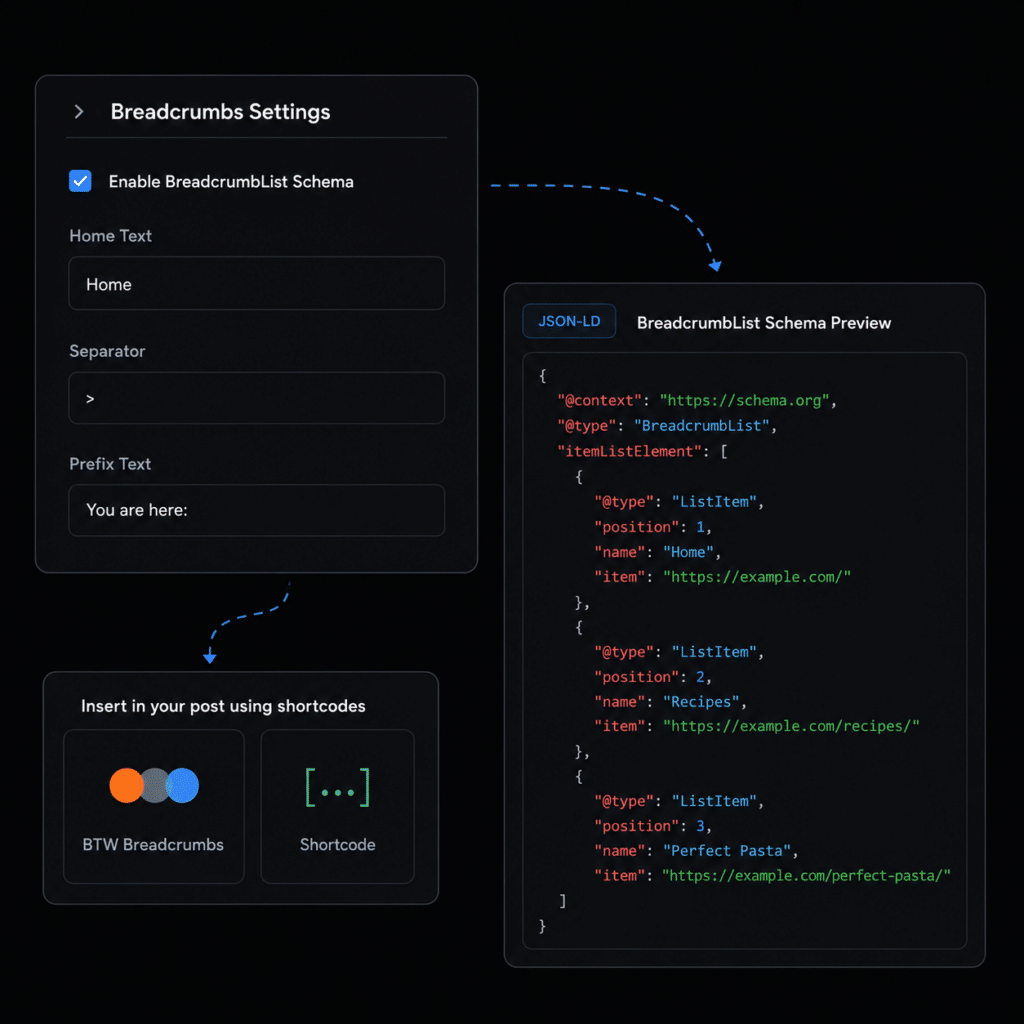

Breadcrumbs describe the path from your homepage to the current page or archive.
When ByTheWeb GEO manages the site’s Schema, it can build this path dynamically from WordPress information such as page parents, post categories, taxonomy parents, and supported archive relationships, then output the path as Schema.org BreadcrumbList structured data.
Visible breadcrumbs are optional and separate from the JSON-LD output. You can display the same ByTheWeb breadcrumb path using the shortcode or the native Elementor Breadcrumbs (BTW) widget.
If Yoast SEO or Rank Math SEO is active, ByTheWeb GEO does not output competing BreadcrumbList Schema. The external SEO provider remains responsible for the overlapping breadcrumb structured data.
BreadcrumbList gives search engines and other systems an explicit ordered path through the site’s hierarchy.BreadcrumbList JSON-LD from the applicable WordPress hierarchy.No Credits Required: Generating this logical site hierarchy schema and visual breadcrumb trail is a core structural feature. It is fully functional and requires zero AI generation credits.

Create complete, structured, SEO-optimized articles in 4 simple steps using our AI Article Wizard. Too busy? Turn on Auto-Pilot. Enter your topics, set your schedule, and let the system automatically write and publish high-quality drafts while you sleep.
Create complete, structured, SEO-optimized articles in 4 simple steps using our AI Article Wizard. Too busy? Turn on Auto-Pilot. Enter your topics, set your schedule, and let the system automatically write and publish high-quality drafts while you sleep.
Create complete, structured, SEO-optimized articles in 4 simple steps using our AI Article Wizard. Too busy? Turn on Auto-Pilot. Enter your topics, set your schedule, and let the system automatically write and publish high-quality drafts while you sleep.
Create complete, structured, SEO-optimized articles in 4 simple steps using our AI Article Wizard. Too busy? Turn on Auto-Pilot. Enter your topics, set your schedule, and let the system automatically write and publish high-quality drafts while you sleep.